Welcome to everyone!
This space is for caregivers to self-organize simple, practical gatherings—whatever helps right now. Bring an idea, post a time and place, and meet others nearby to swap tactics, practice skills, or take a walk together.
Topics are up to you: a routine that’s working, a problem you want to solve, a product to compare, a short Q&A with a local pro, or a casual coffee chat.
Small, informal, and consistent beats perfect. If you’re wondering whether your idea is a good fit here, the answer is yes.

How to post a Local Meetup (quick start)
Pick one:
-
Quick post (no RSVP): use Insert date/time (calendar icon).
-
With RSVP & capacity: click Add event in the editor.
1) Start your topic
-
Click New Topic in Local Meetups.
-
Title:
[Meetup name] — [City/Area](e.g., Pillbox Setup Night — Kitsilano).
2) Add the essentials (required)
-
Region tag: add one tag (e.g.,
ca-bc,us-wa). -
Location: click the Location (pin) button → set city/venue
(exact addresses only for public places). -
Date & time:
-
No RSVP: Insert date/time → choose start (and end) + timezone.
-
With RSVP: Add event → fill Start/End, timezone, (optional) capacity.
-
3) Fill in the details (use the template)
-
Who it helps: 1 line (e.g., evening agitation/falls).
-
Agenda: bullets are great (check-in → demo → practice → Q&A).
-
Accessibility: level access, seating, restrooms.
-
Safety: no hands-on lifts without training; guidance only (no personal medical advice).
-
RSVP:
-
Quick post → ask folks to reply “I’m coming.”
-
Event post → attendees click Going/Interested.
-
4) After the meetup
-
Reply with a 2-minute recap + any handouts/links.
-
Post the next date or ask what people want next.
Tip: Keep it simple. Small and consistent beats perfect.
How to post a Local Meetup (Insert Event with pictures)
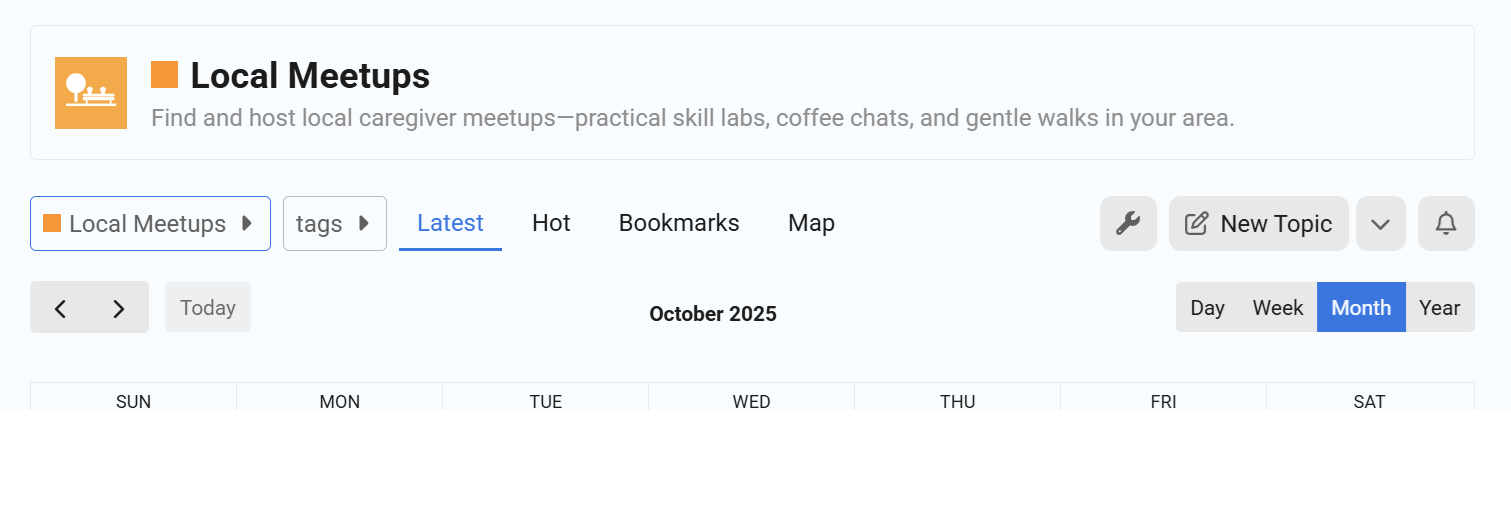
- Go into the Local Meetups category, then click on New Topic.
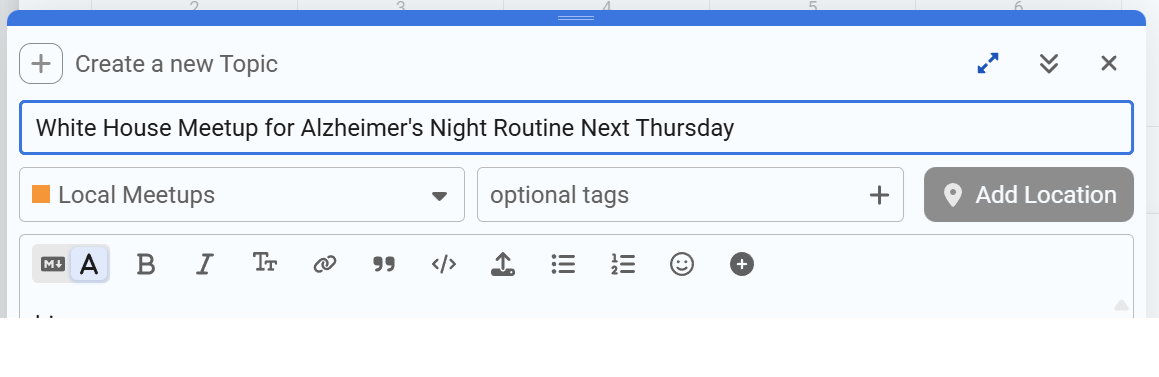
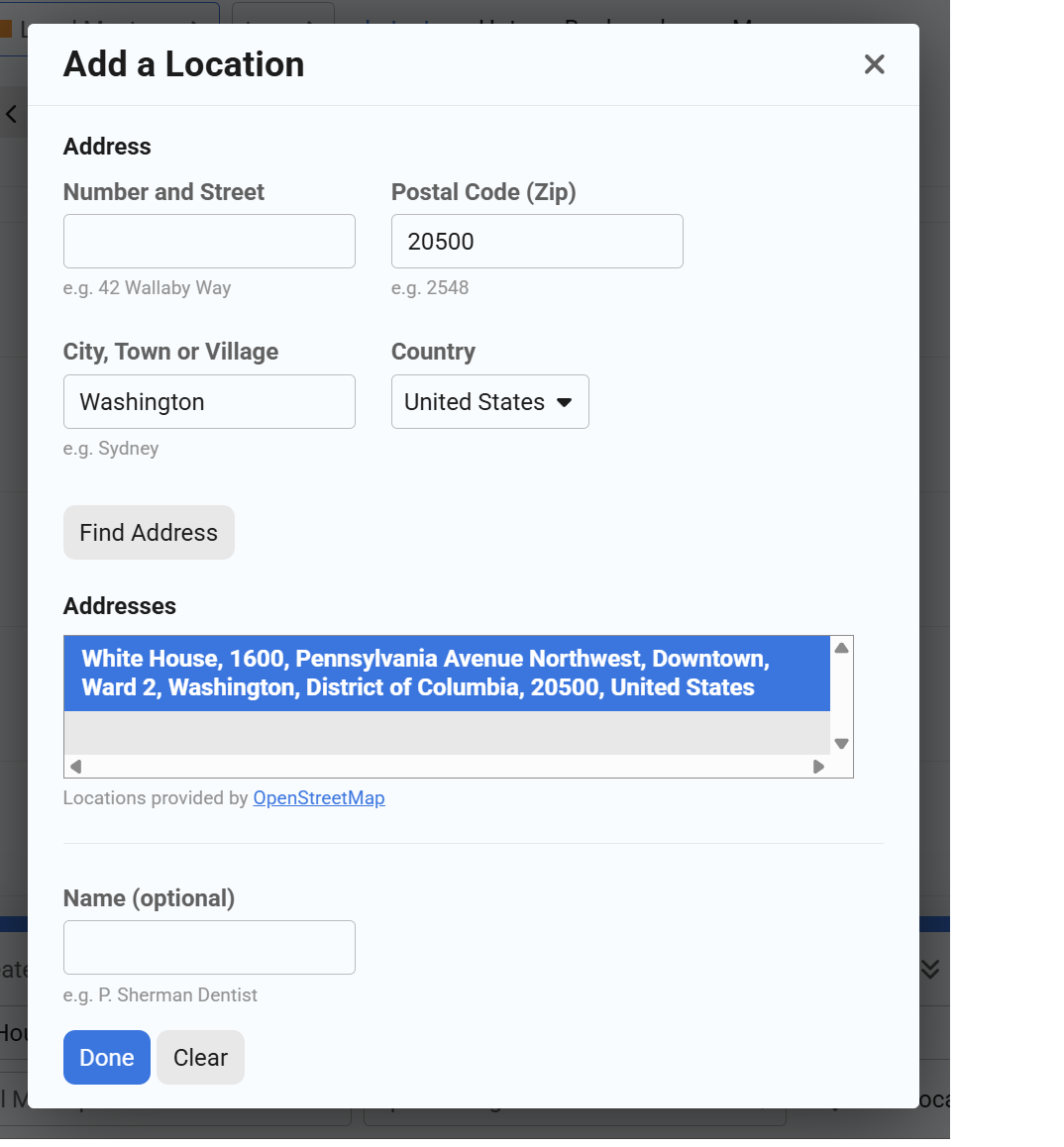
- Write the title, and click on Add Location.
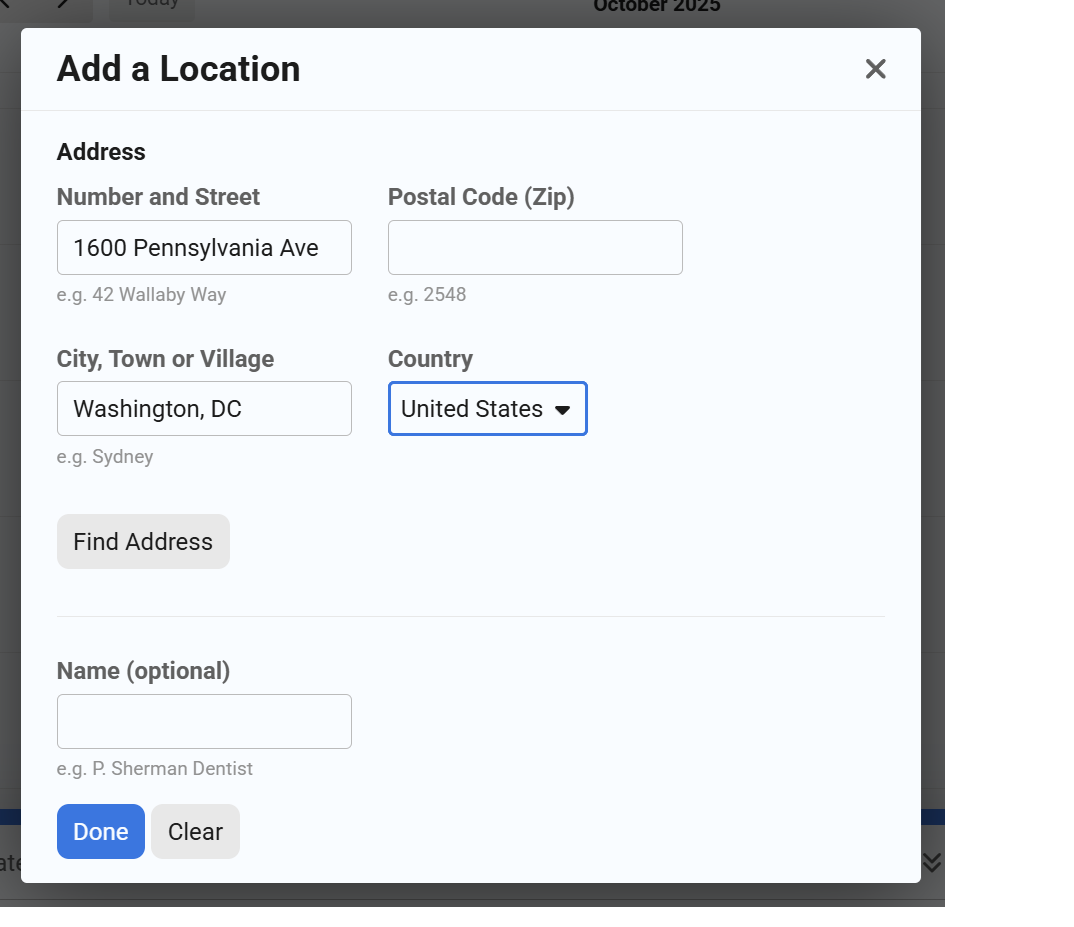
- Input the address for a meetup. If privacy is a concern, please enter only the postal code, city, and country. Click the Find Address button.
- The Addresses box will list one or more addresses that match the search criteria. Highlight the one you want.
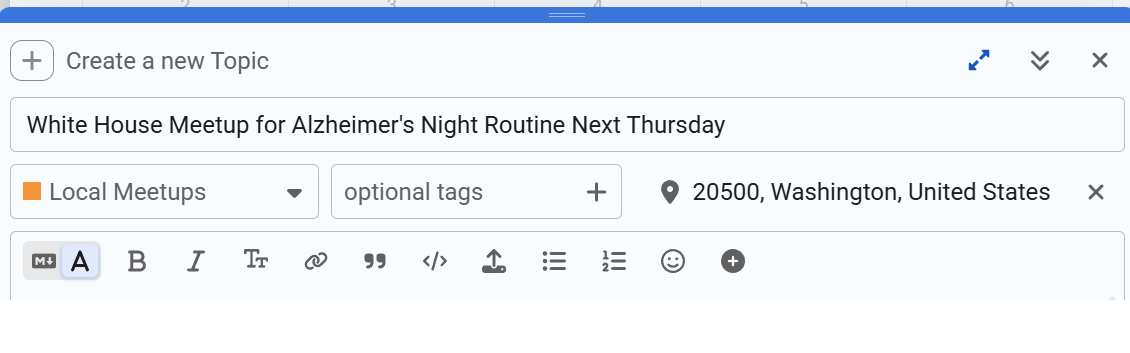
- The location box now has the location, which will be visible on a map once the post is published.
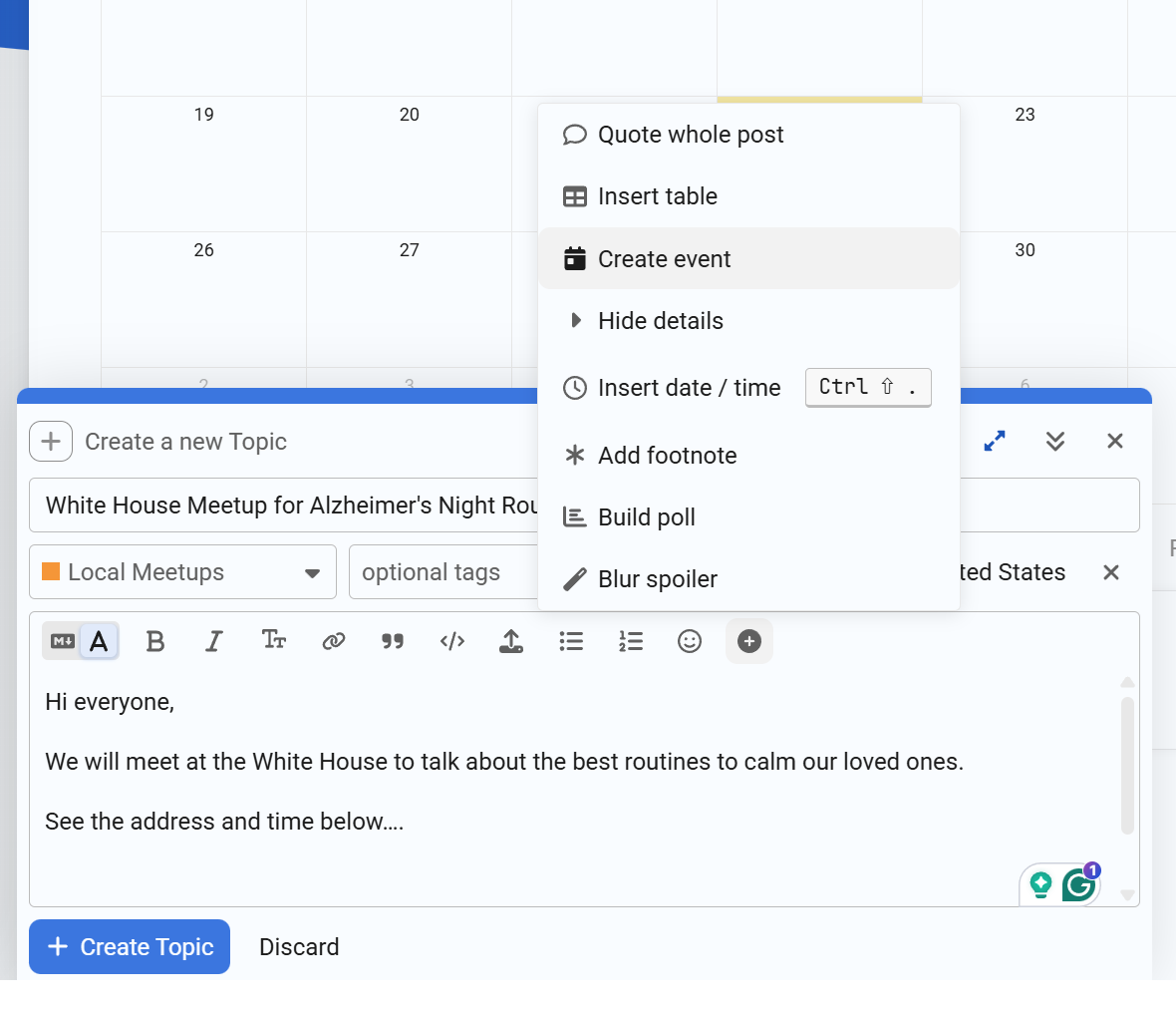
- Go to any place in your text and click the Plus symbol next to the smiley face. This will bring up the menu to Insert date/time.
- Input the date, time, and other necessary information.
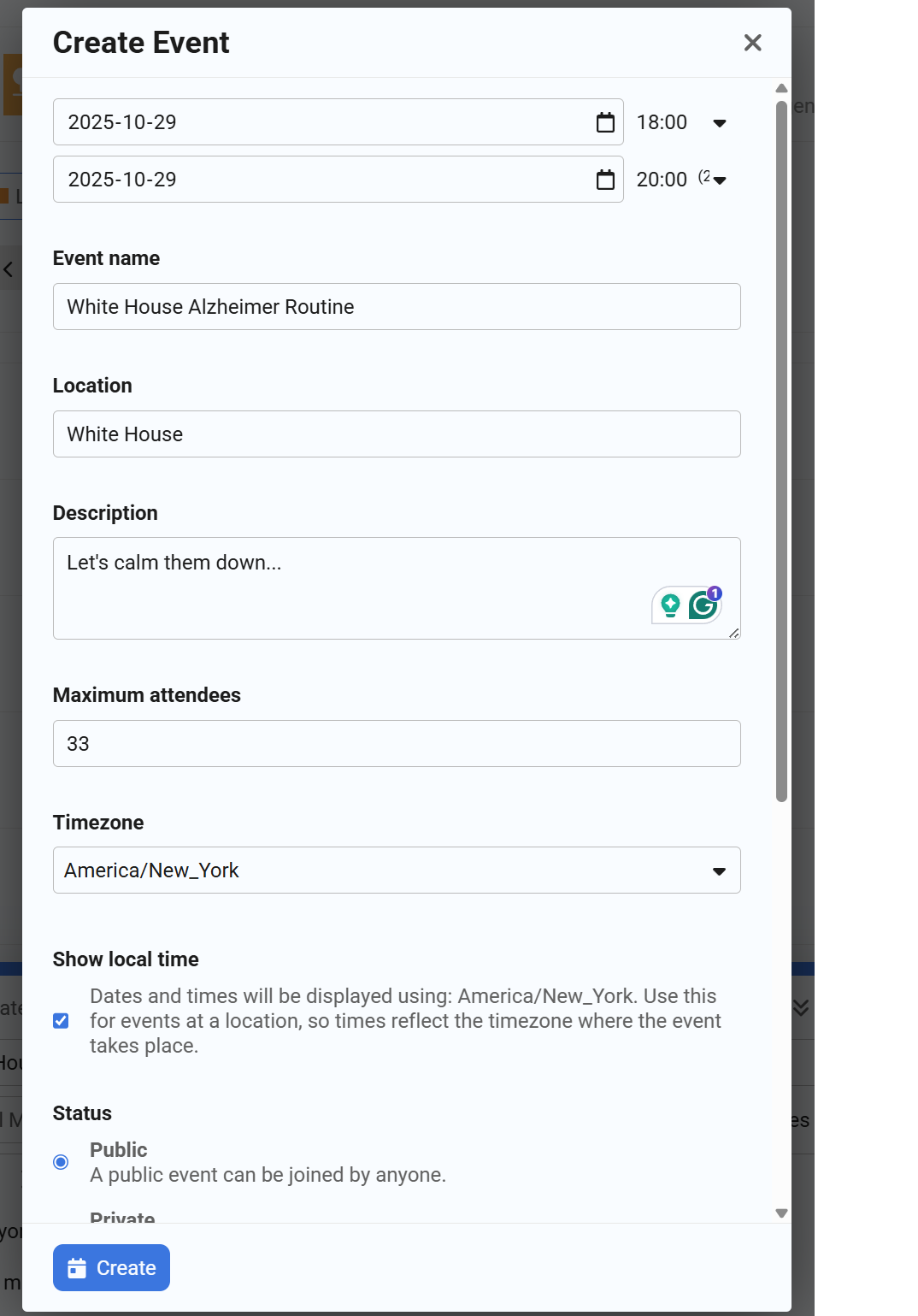
- Click the Create button to create an event, then Create Topic to save the topic. You are done!
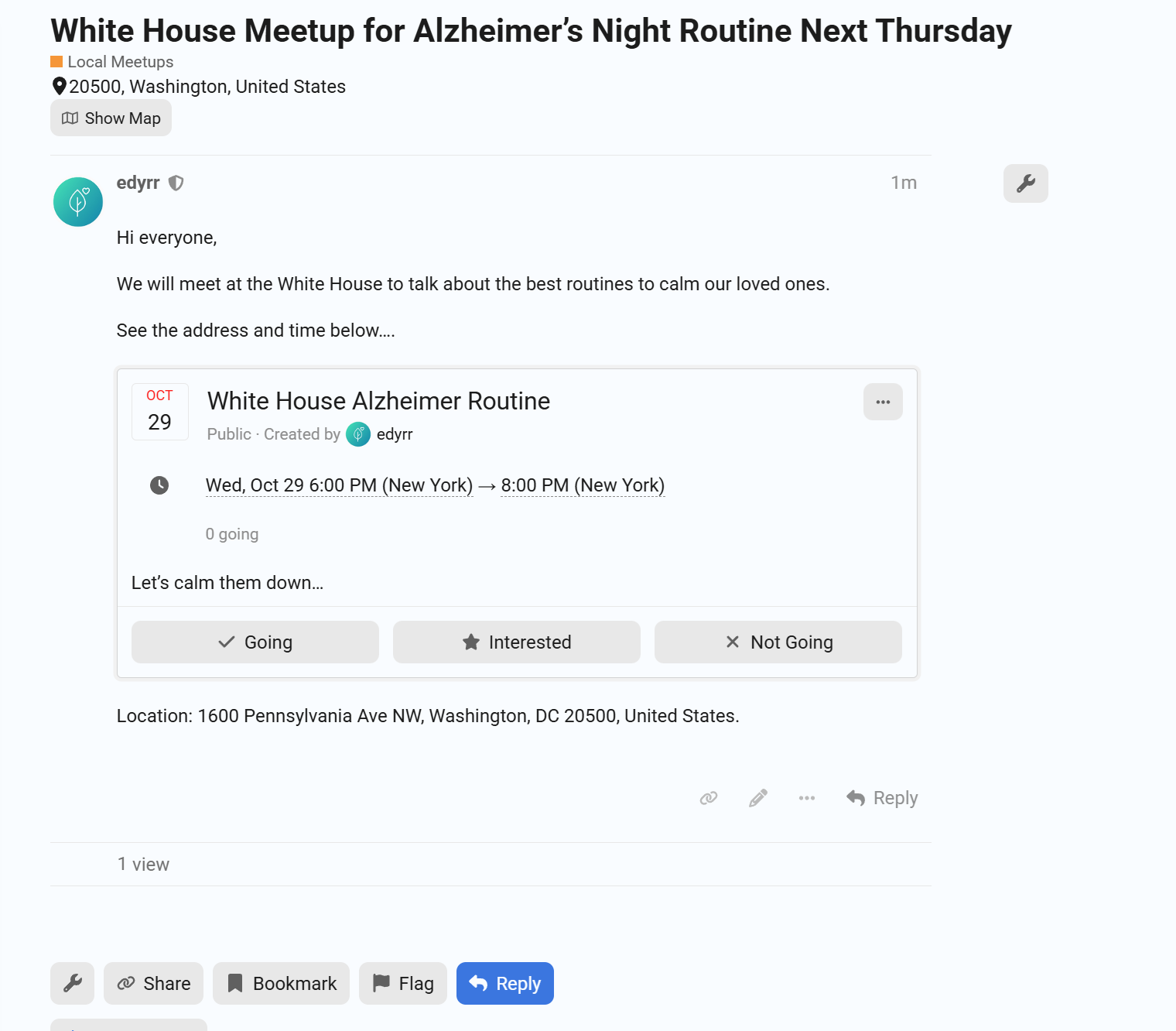
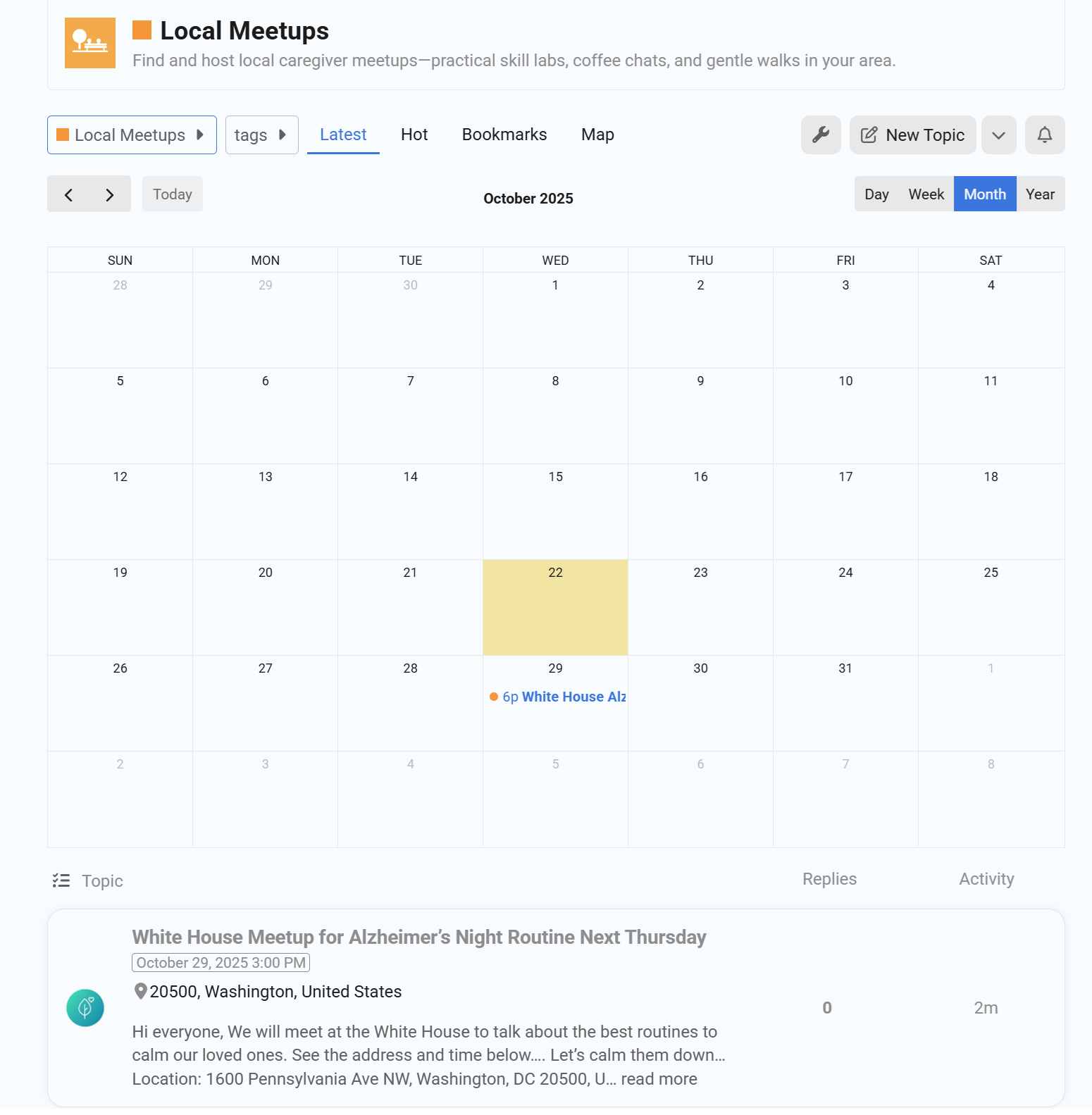
- Notice that the event has been added to the calendar!